1.First create the folder where you want folders to be uploaded-you can create a sub folder inside under Estimate-Request for a specific job by selecting ‘Create File Request’ from the Action Menu (I might not have this direction correct I read it as that clicking create file request creates a sub folder where the requested files will go when the vendor uploads them)
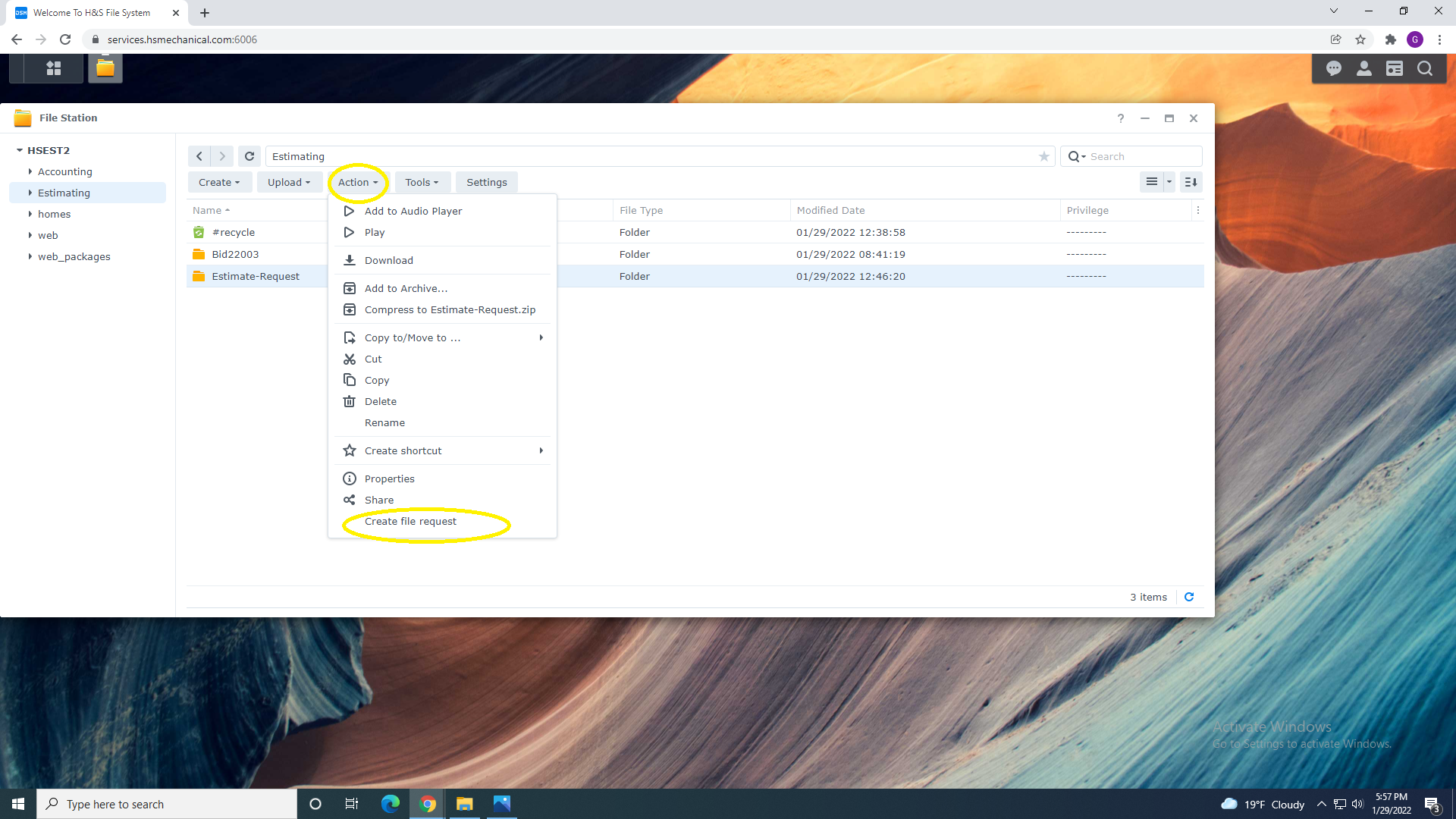
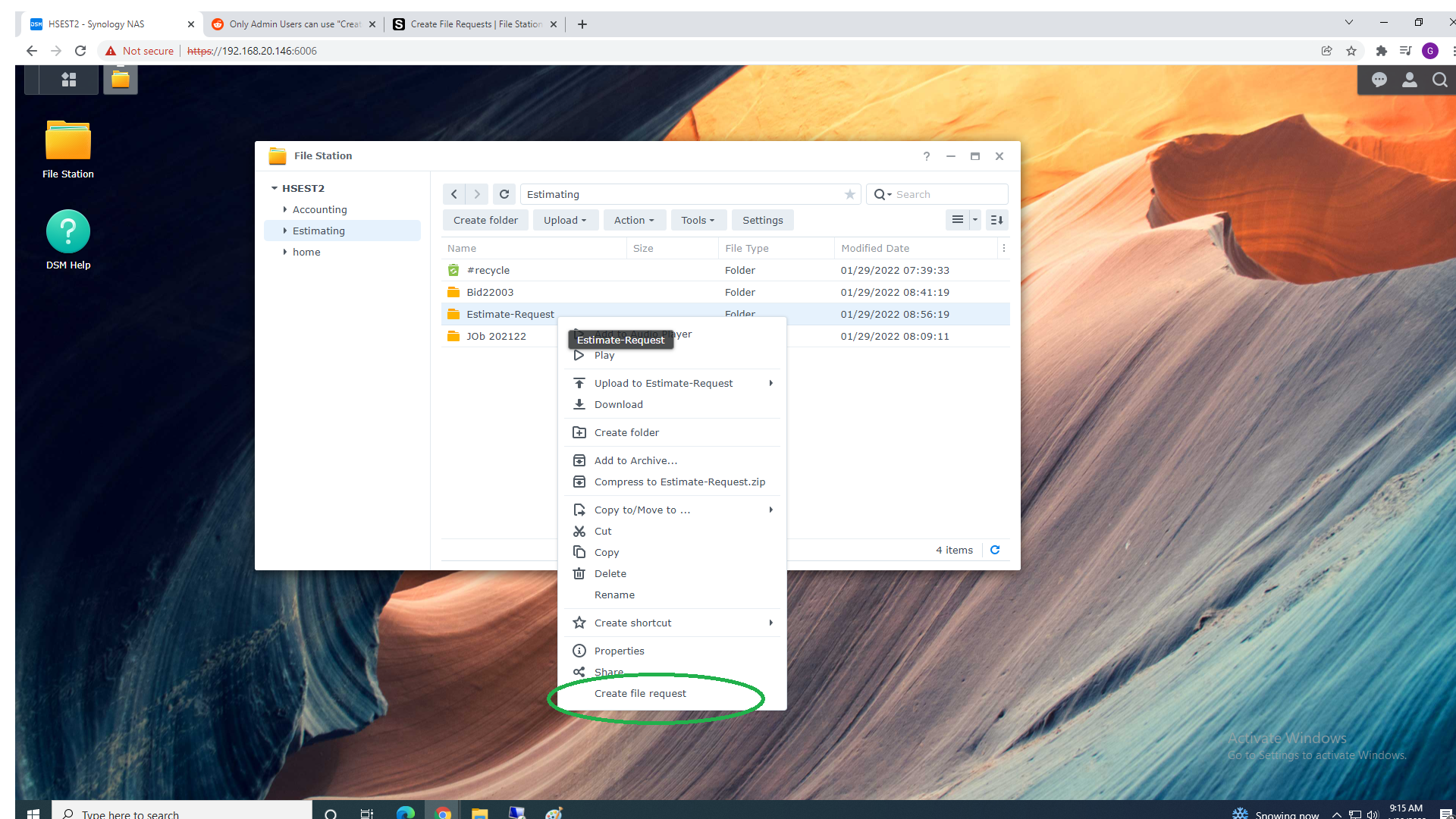
1a. You can also Right Click on Selected Folder and Select "Create file Request"
2. Share Folder Request have the similar functions as file share with some exceptions.
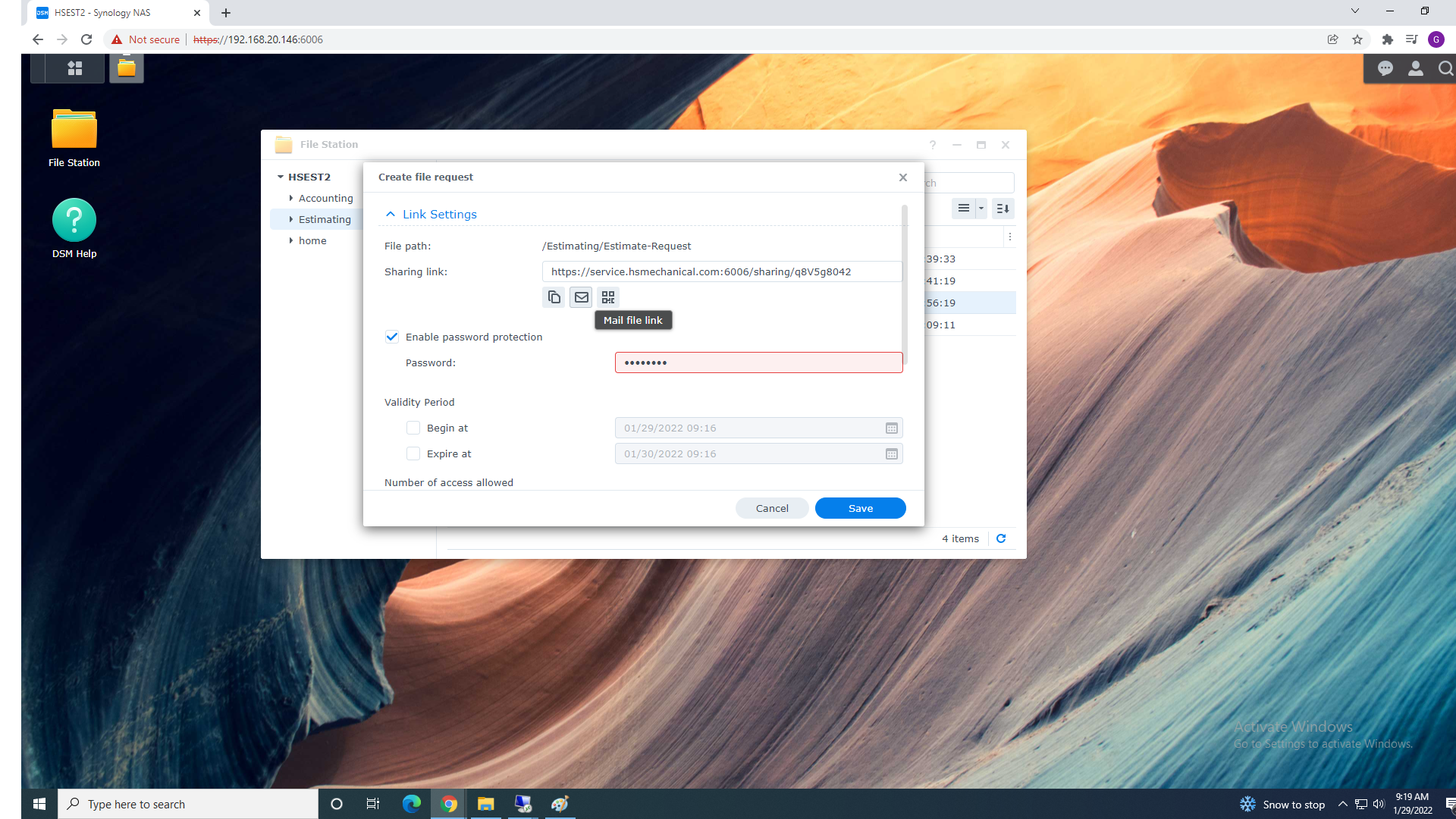
3.You can Protect Folder sharing with Password by Selecting "Enable password protection" and typing password
Note: You will need to provide the password to the person you creating file request for
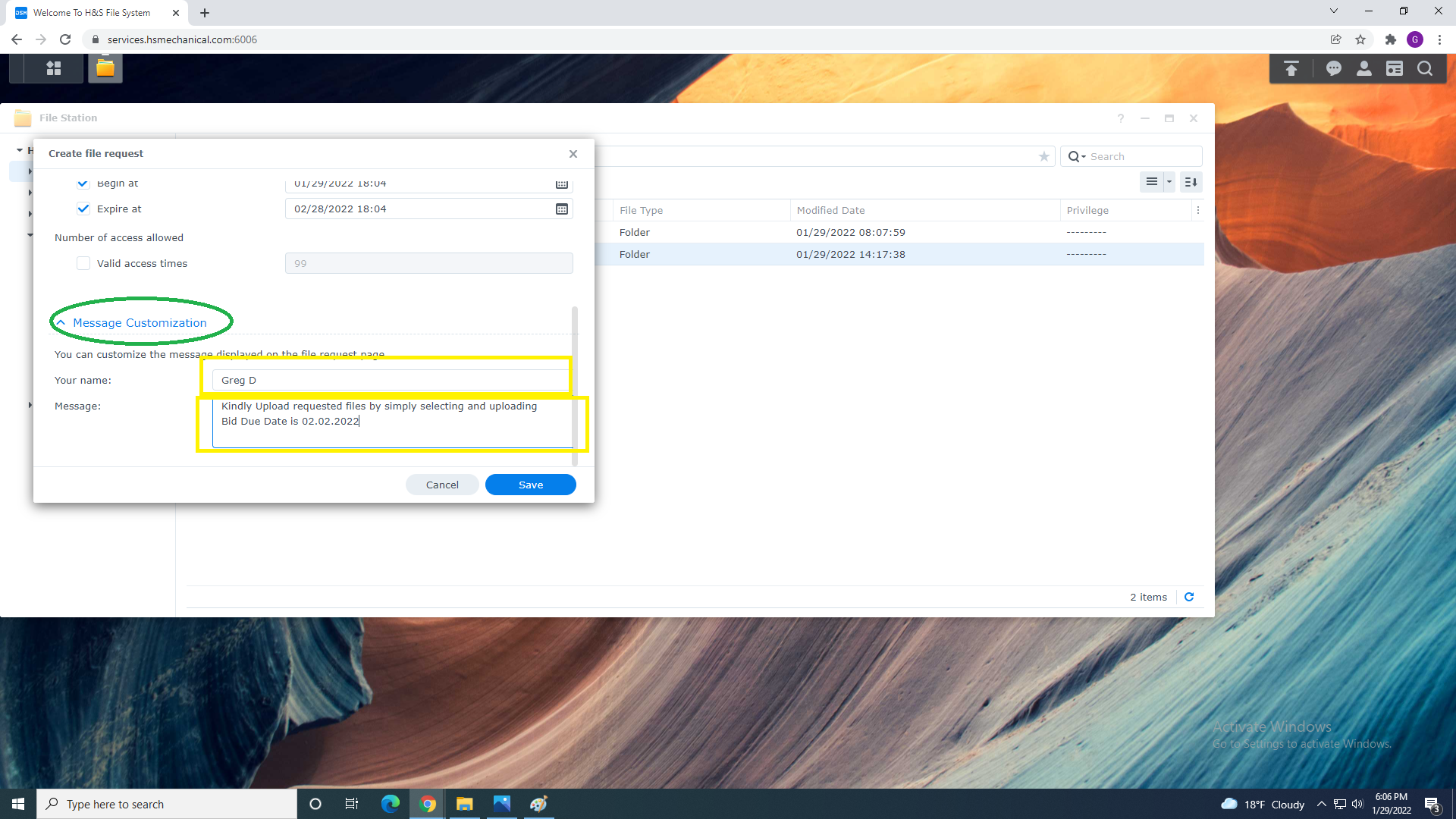
4. You can type custom Name and Message that will be shown to Vendor/Subcontractor
Explaining what you are requesting.
5. You can copy and paste this url if your vendor/subcontrator have issues uploading Files.
Links: https://services.hsmechanical.com/knowledge-base/article/vendor-subcontactor-request

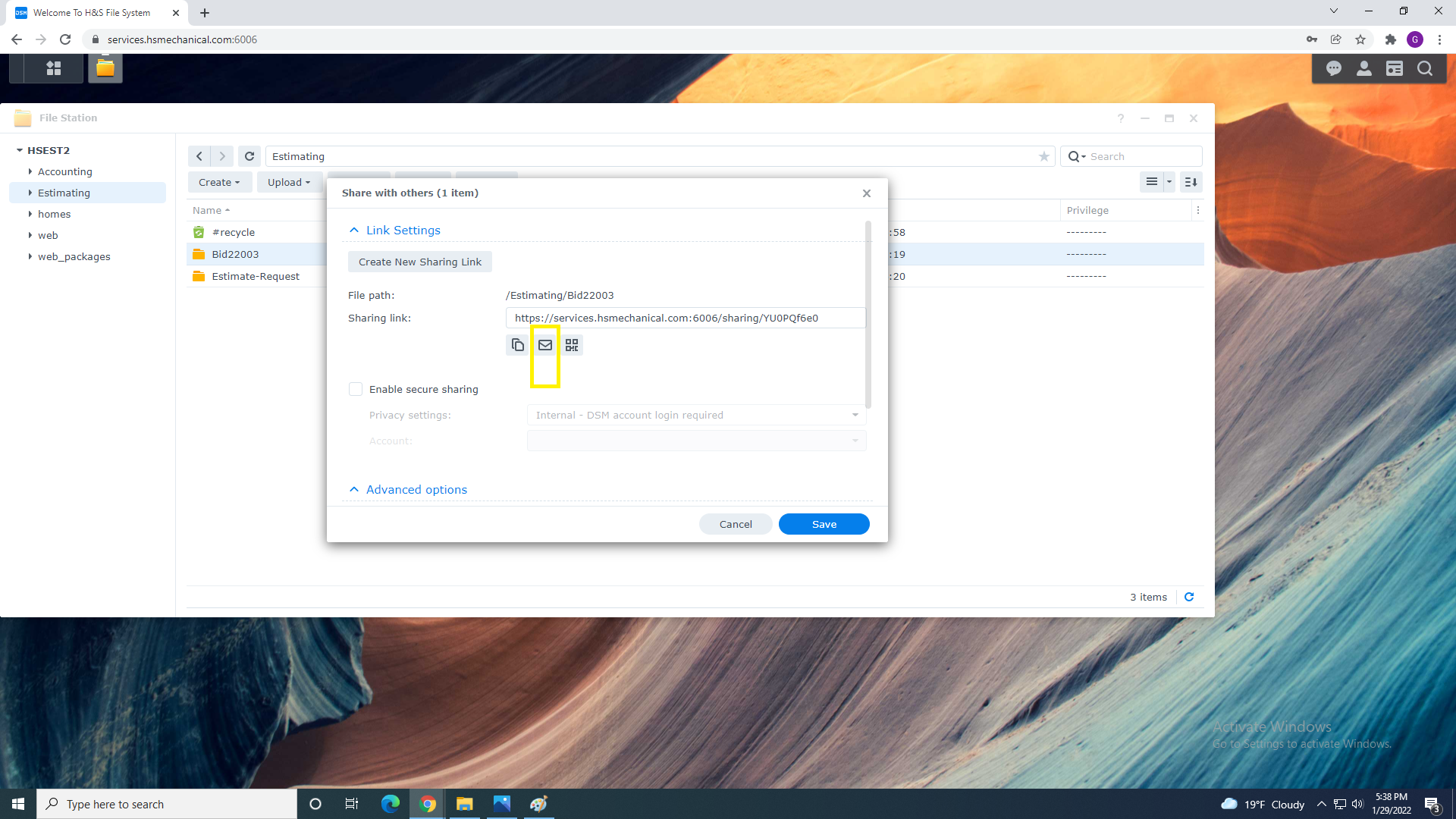
6. Continue to Copy request Address and send link using Outlook from your email or
select email icon and send request using System NAs
7. Once Sent you have to Save and Finish Request Functions