Requirements: IT dept. must setup your email profile.. Please send email to IT Department and request that function to be setup.
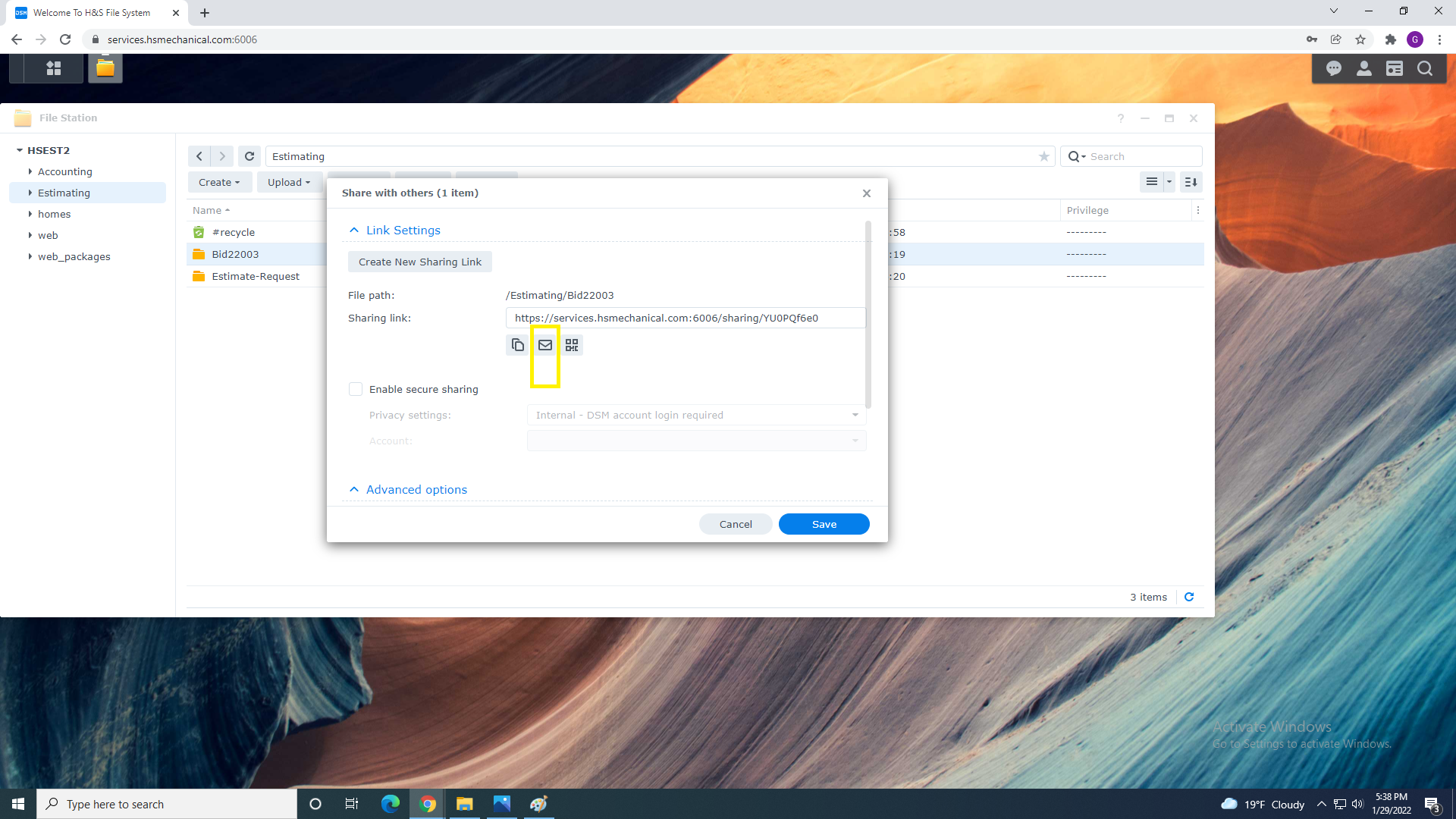
1. From the Share Menu Select Mail Icon
2. Fill receipient Email Address , Subject , and type in the body of a message making sure you don't erase
qr code or link below.
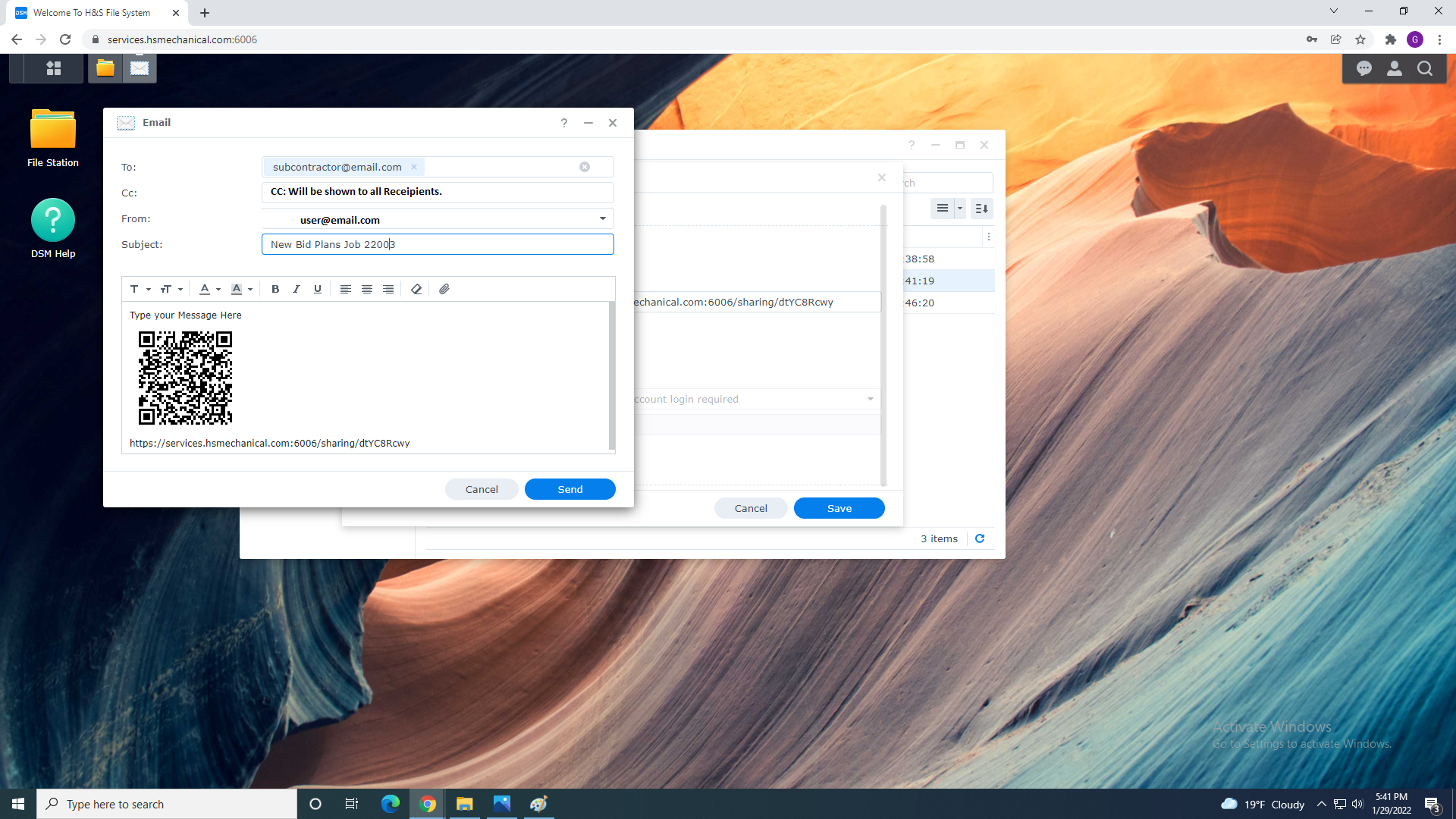
FYI.. CC Emails is viewable to all addresses email is sent to.
3. Click Send
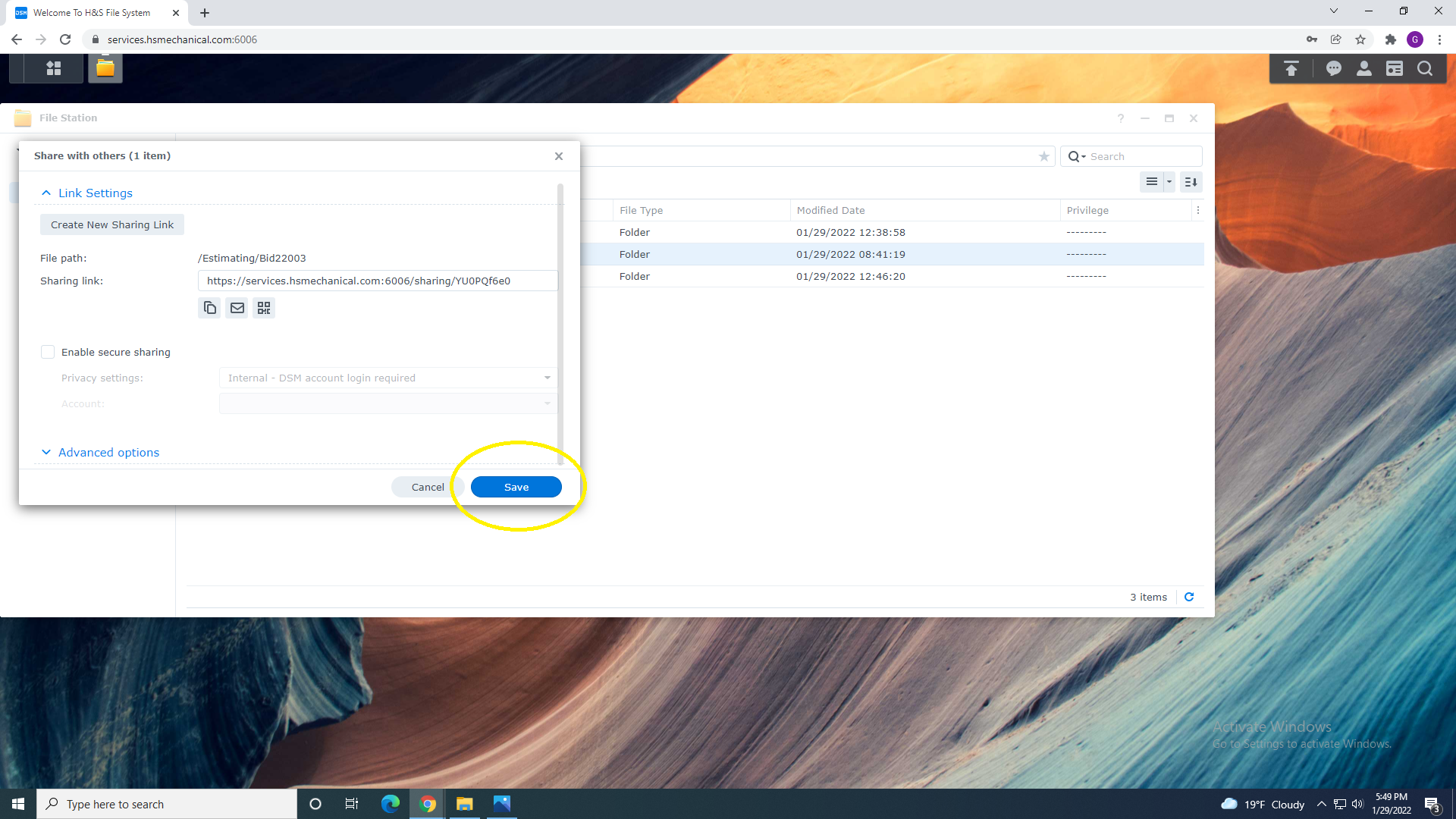
4. Click Share to Finish Folder Sharing.