Toggle navigation
Knowledge Base
Login
Search Knowledge Base Articles
Search
Stop or Delete Share or Share Requests
If you did not set share access to expire or need to remove share access for any reason, you can do so with the following steps
1. Log In to NAS
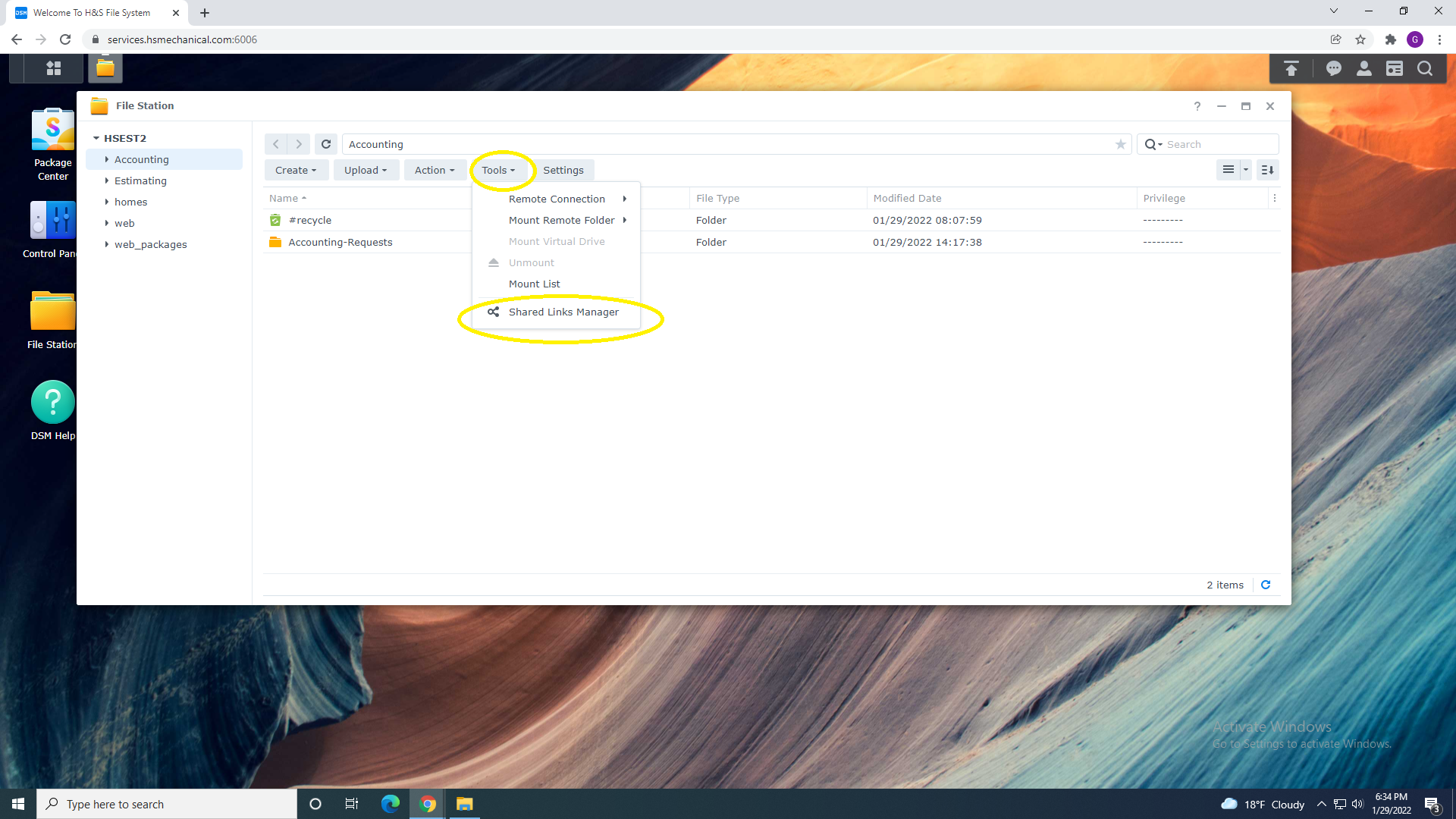
2. Select Tools ANd Share Link Manager
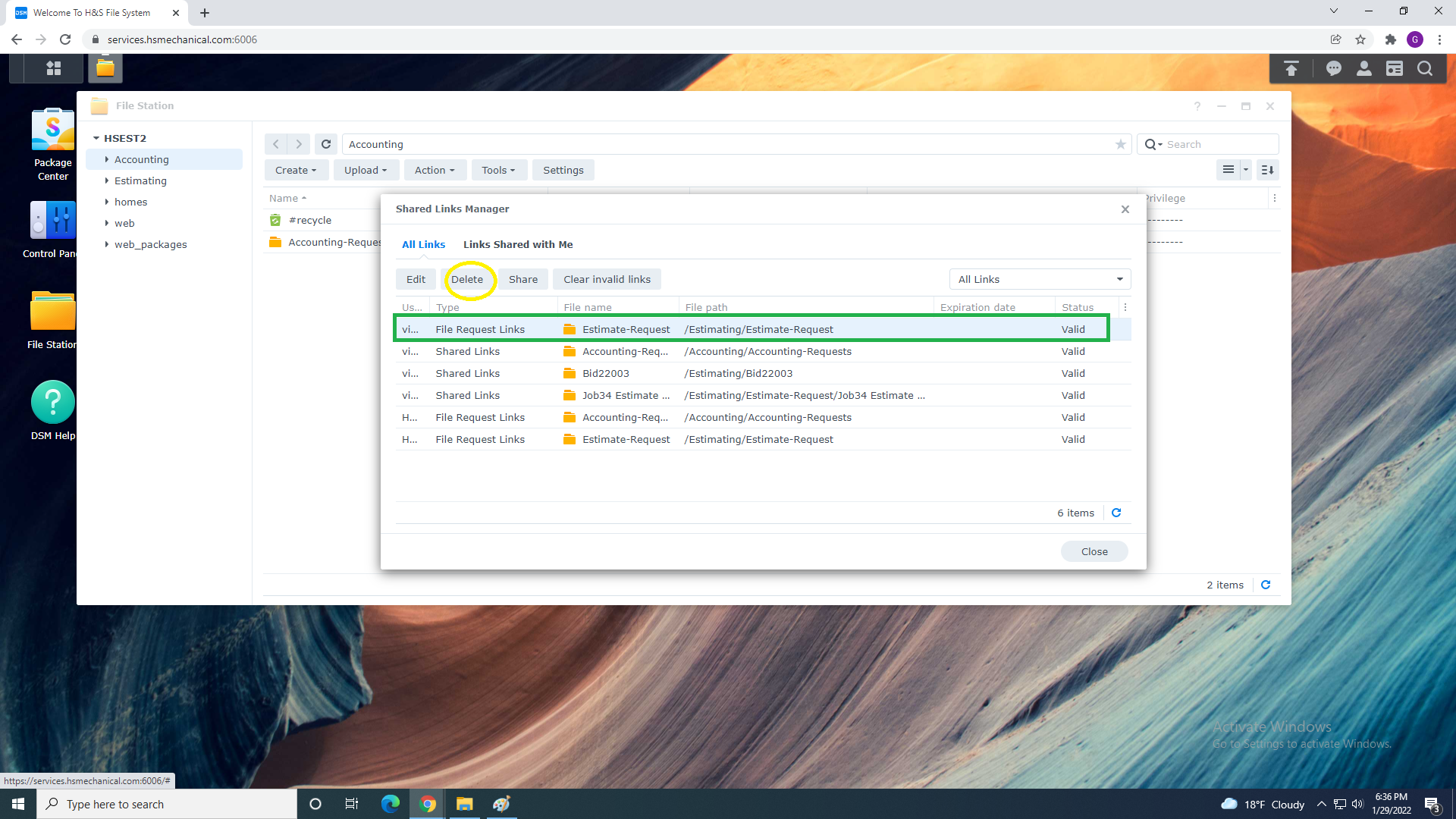
3. Select Share or Request you want to delete and Select "Delete" from Top Menu
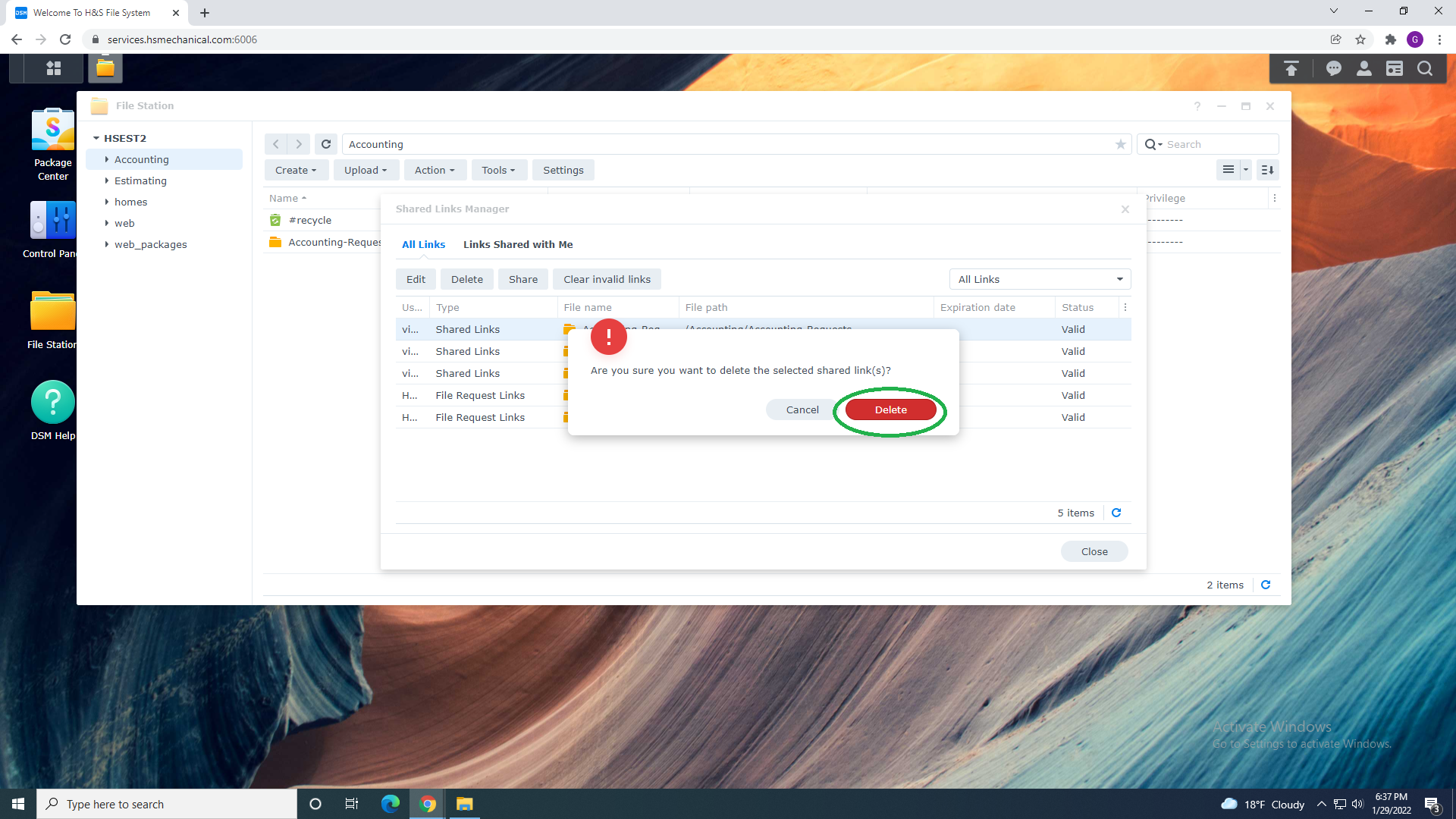
4. Verify/ Confirm Prompt that you are sure to Delete Link
Did you find this article useful?
Yes
No
Related Articles
How to: Access Nas Remotely
1. Open any Browser and in the address bar type: HTTPS://Services.hsmechanical.com:60062. Sign in Us...
How To: Allow Vendors & Subcontractors to upload Files
Under Development Coming Soon......
File and Folders Sharing
1.You can create a New Folder by selecting "Create Folder" From the Top Menu bar, or by right clicki...
Sharing Functions Explained
1.Share Functions Explained Verify That you are sharing Correct Folder Shown above in "Yellow "...
Email Shared link to Users or Groups
You can share files/folders by email by selecting Email icon in Share Menu.Requirements: IT de...