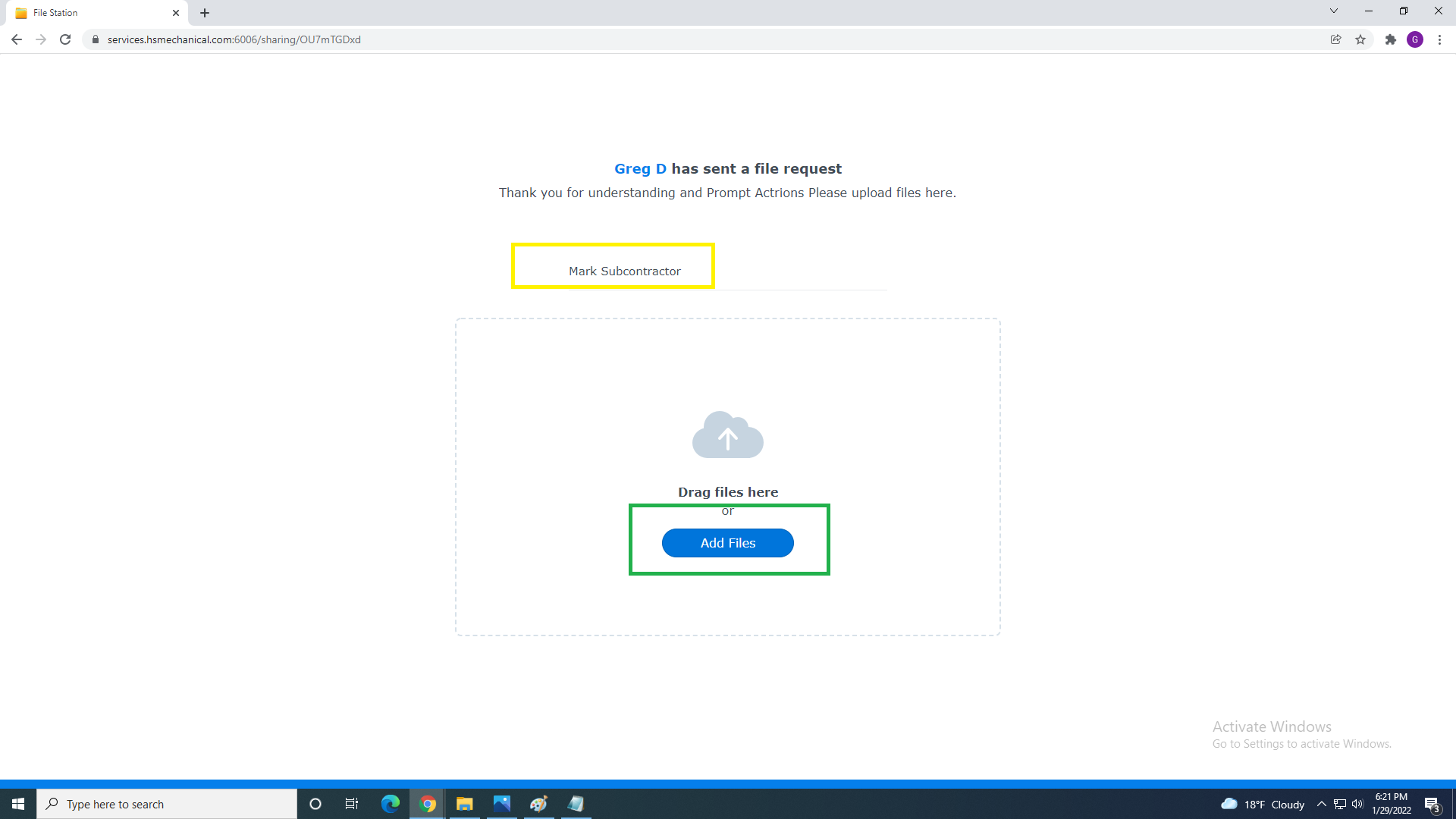
You can fill your name " Highlited in Yellow" and simply drag and drop file on the center cloud or Click Blue "Add Files"
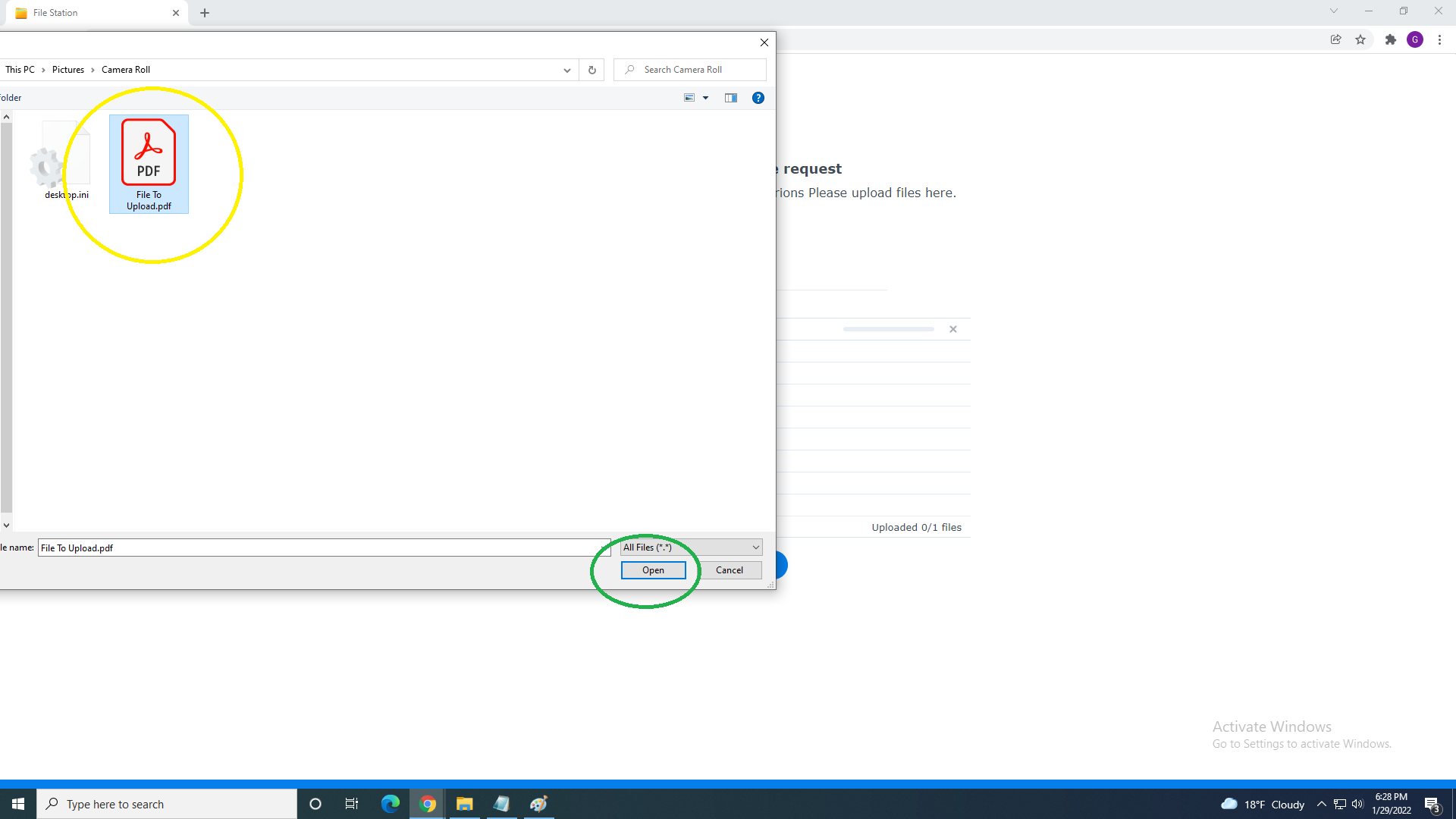
Than browse and select file or files you want to upload to System.
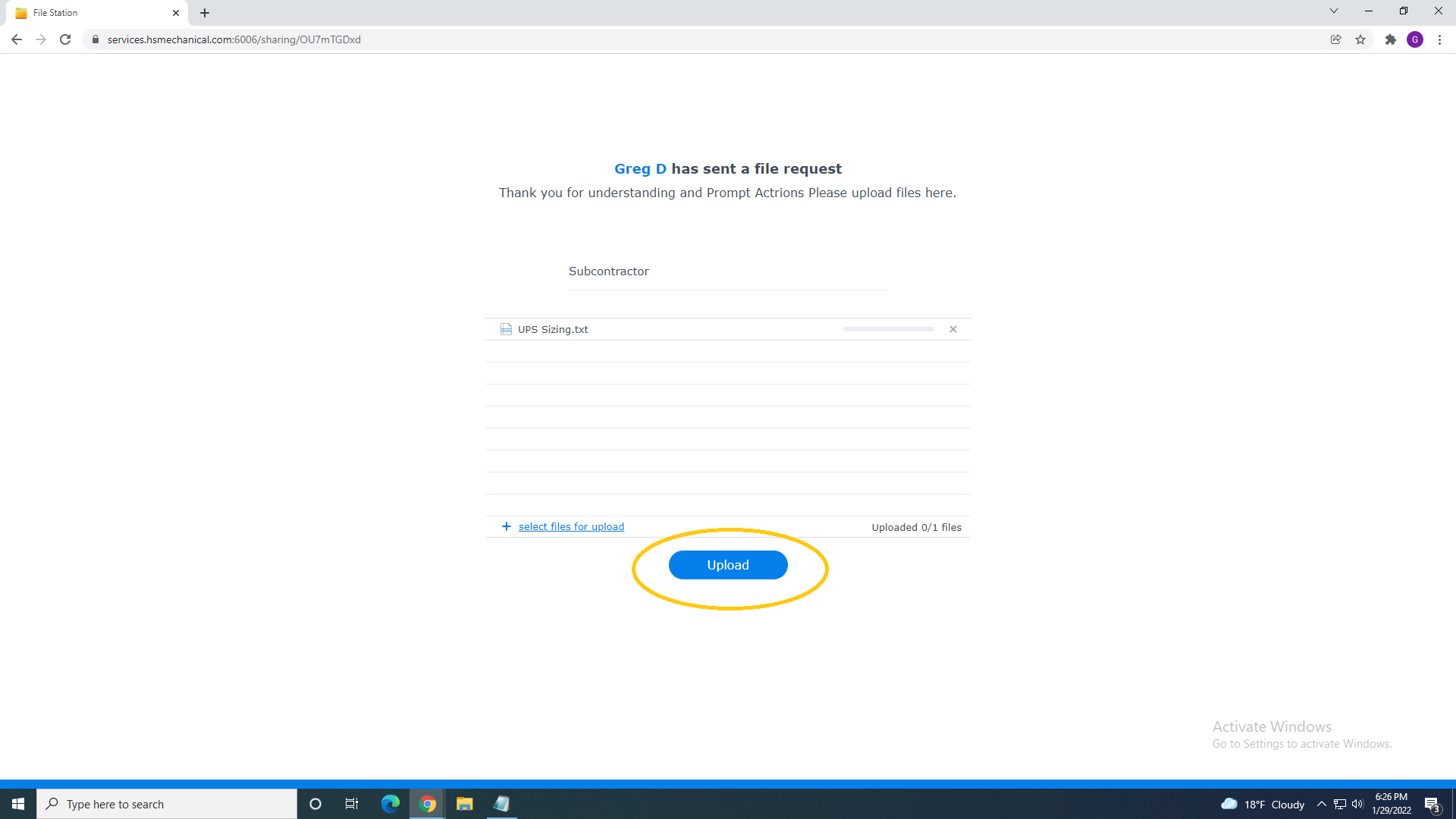
When a File Request is sent the subcontractor will receive an email and files can be upload via their web browser
They can fill in their name in area highlighted in yellow and then drag and drop file on the center cloud.
Alternatively they can click the blue ‘Add Files’ button this will allow them to browse and select the files they wish to add